
Linksys Velop WHW01/VLP01 Petunjuk-Penggunaan
Berapa bintang yang Anda berikan untuk manual Velop WHW01/VLP01?
345 · 1224 Halaman
Bahasa indonesia



/ 1224

Quick check
Incorrect answer, please try again.
Chat dengan manual Linksys Velop WHW01/VLP01 Anda menggunakan AI
Dapatkan jawaban AI instan dari manual Linksys Velop WHW01/VLP01 Anda
Tanyakan apa saja tentang Linksys Velop WHW01/VLP01. Jawaban berasal dari manual ini, beserta halaman yang menjadi dasarnya.
Ajukan sebuah Pertanyaan
Apakah Anda merekomendasikan Velop WHW01/VLP01?
Ya NoPreguntas Frecuentes Preguntas
Press and hold the Reset button on the bottom of the node until the light turns red, fades, and flashes bright red again. If you have multiple nodes, resetting the main node will automatically reset all others.
341
Yes, you can access the local admin interface directly by connecting to the Wi-Fi name and using the admin password in the app, but cloud features require an internet connection.
341
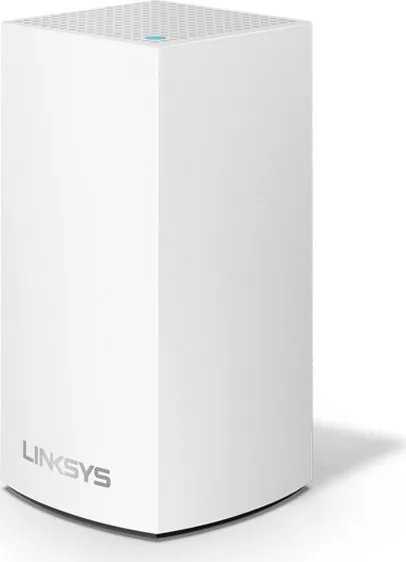
A solid blue light means the node is working great, while a blinking purple light indicates the node is paired with your phone for setup.
341
You can choose up to three devices for priority usage, ensuring they always have the best access when connected to the network.
341
Yes, one node must be connected to your modem or modem router via an Ethernet cable to establish the internet connection for the entire system.
341
Keunggulan dan Kekurangan
advantages

- Seamless whole-home coverage with intelligent mesh technology
- Easy setup and management via the Linksys mobile app
- Advanced parental controls and device prioritization features
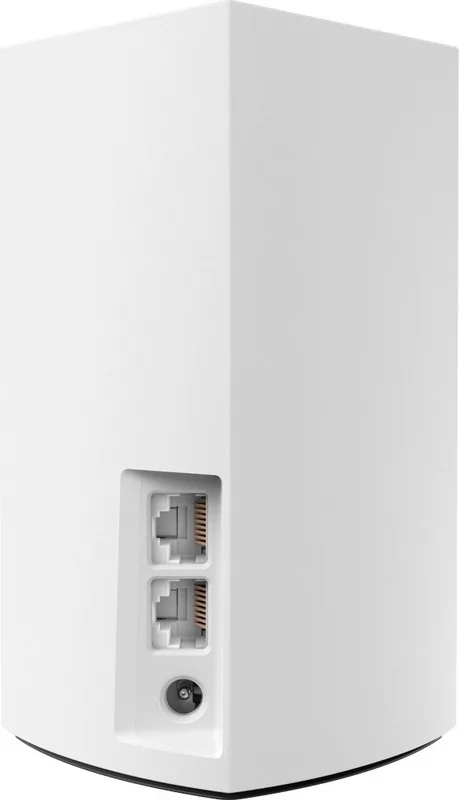
- Gigabit Ethernet ports for high-speed wired connections
- Visual LED indicators simplify troubleshooting and monitoring
Kekurangan

- Requires the Linksys app for initial setup and ongoing management
- Dual-band may not match the raw speeds of tri-band models
- Resetting the system erases all custom configurations and passwords
- Performance depends heavily on the placement of individual nodes
- Cloud account creation is mandatory for remote access features
Produk Spesifikasi
Módem
N/A
LAN
2x 1000Base-T
Inalámbrico
WLAN 802.11a/b/g/n/ac/h (Wi-Fi 5), simultáneo
Velocidad de datos
400Mbps (2.4GHz), 867Mbps (5GHz)
Seguridad
WPA2
Antenas
Internas
Puertos
N/A
Consumo de energía
No especificado, no especificado (clasificación máxima de alimentación)
Dimensiones
14x7.8x7.8 cm
Características
Bluetooth 4.0, Bluetooth LE, TPC/DFS, MU-MIMO, DLNA, Roaming (Qualcomm Wi-Fi SON), Mesh (banda dividida)
Capacidad de banda
Doble banda (simultánea), Mesh (banda dividida)
Garantía del fabricante
Tres años
product description
Linksys Velop Dual Band Mesh Wi-Fi System Overview
The Linksys Velop WHW01/VLP01 represents a significant leap in home networking, offering a seamless dual-band mesh solution designed to eliminate dead zones and provide robust coverage throughout your entire home. Unlike traditional routers that rely on a single point of access, the Velop system utilizes intelligent nodes that work together to create a unified network. This stand-alone unit is perfect for modern households where connectivity needs extend beyond a single room.
Setting up your Velop system is an intuitive process managed entirely through the Linksys mobile app. The application guides you step-by-step, handling the configuration of your Wi-Fi name and password while allowing you to assign specific names to each node based on its location, such as "Kitchen" or "Bedroom." Once active, the system automatically manages traffic, ensuring that devices connect to the strongest available signal without interruption. The LED status lights on top of each node provide immediate visual feedback, indicating everything from successful startup to connection issues, making troubleshooting straightforward even for non-technical users.
Beyond basic connectivity, the Velop system offers advanced features accessible via the dashboard. Users can prioritize specific devices like gaming consoles or streaming boxes to ensure they receive maximum bandwidth. Parental controls allow for granular management of internet access, enabling parents to block websites or set time limits for specific devices. Additionally, the Guest Access feature creates a separate network for visitors, keeping your main data secure while still providing them with internet access. For those needing wired connections, the gigabit Ethernet ports support high-speed data transfer for desktops and smart TVs.
Security is paramount with the Velop system, which employs WPA2-Personal encryption with up to 128-bit keys to protect your data. The system also includes a Channel Finder that scans for the least congested Wi-Fi channels, optimizing performance in crowded environments. Whether you are working from home, streaming 4K video, or playing online games, the Linksys Velop Dual Band system delivers the reliability and speed required for today's digital lifestyle.
Cari 67.706 Manual online


-
No results found.
Ketik Merek atau Model