
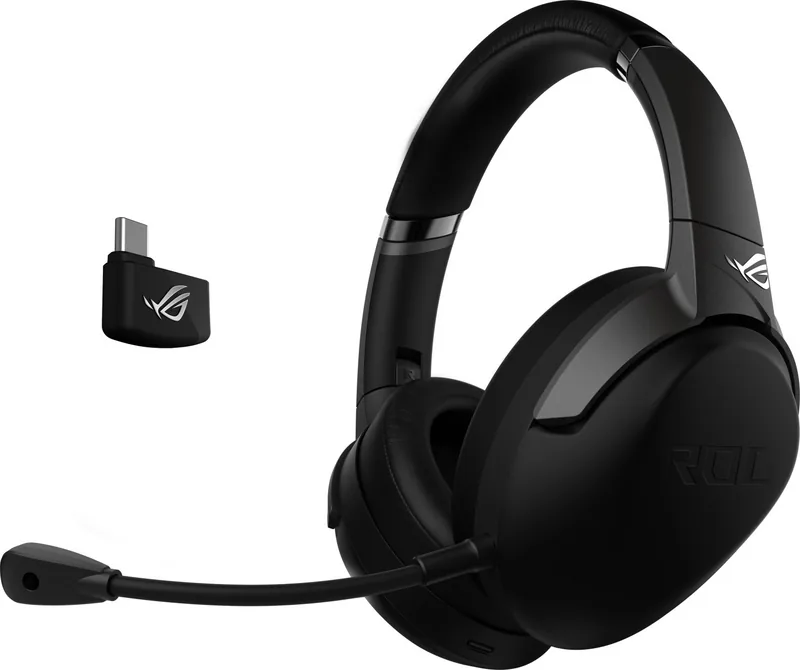
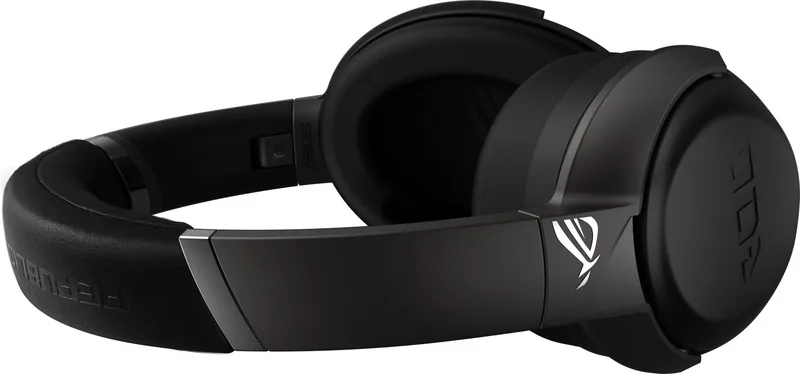
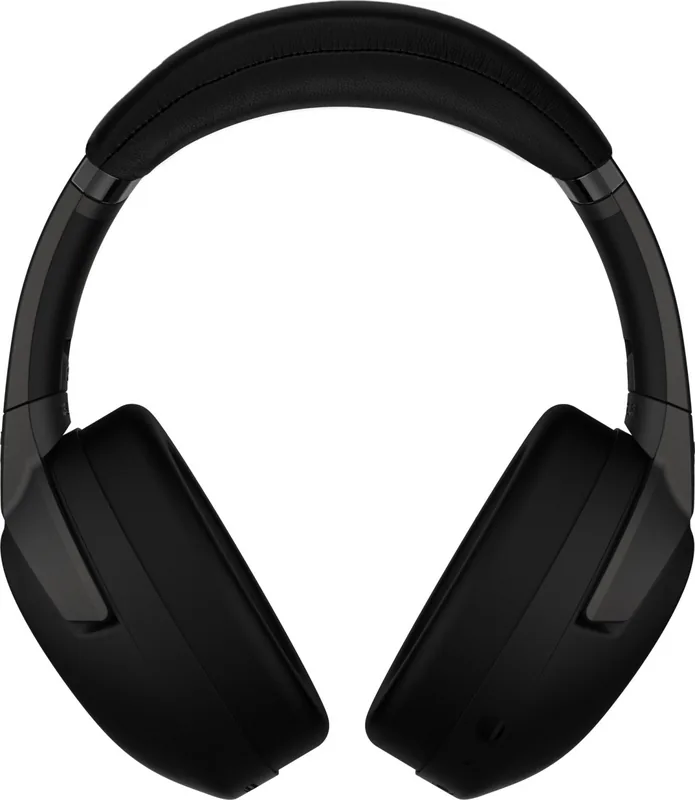
ASUS ROG Strix Go 2.4 Petunjuk-Penggunaan
345 · 45 Halaman
Bahasa indonesia


Quick check
Incorrect answer, please try again.
Chat dengan manual ASUS ROG Strix Go 2.4 Anda menggunakan AI
Dapatkan jawaban AI instan dari manual ASUS ROG Strix Go 2.4 Anda
Tanyakan apa saja tentang ASUS ROG Strix Go 2.4. Jawaban berasal dari manual ini, beserta halaman yang menjadi dasarnya.
Ajukan sebuah Pertanyaan
Apakah Anda merekomendasikan ROG Strix Go 2.4?
Ya NoApakah Anda merekomendasikan ROG Strix Go 2.4?
Ya NoPreguntas Frecuentes Preguntas
Connect the 2.4GHz wireless dongle to your device using USB or Type-C, then switch the headset power on. Download and install the latest audio software from ASUS, and the headset will be ready for wireless use. If it powers off due to inactivity, turn it back on using the headset switch.
341
Move the power switch to wired mode, then plug the 3.5mm audio cable into the headset. Connect the 3.5mm jack to your device (PC, console, or other audio source). Wired mode does not require the 2.4GHz dongle.
341
The headset is rated for up to 25 hours of battery capacity. Quick charge is listed as 15 minutes for about 3 hours of use, and a full charge takes about 3 hours. Charging uses the headset charging port, with an indicator showing charging state.
341
Use the audio control wheel to adjust volume by rotating it. Press the wheel to mute the microphone. The microphone is detachable (boom style) for flexible positioning, and the headset supports quick mute during games and calls.
341
The function key supports media shortcuts: a single press plays or pauses, a double press skips forward, and a triple press skips backward. This makes it easy to control music or game audio without reaching for your device.
341
Yes. The headset automatically turns off after 5 minutes of inactivity. You can power it back on with the switch. Standby time behavior can be adjusted in the ASUS audio software.
341
You get the ROG Strix Go 2.4 headset, detachable boom microphone, 2.4GHz wireless dongle, 3.5mm audio cable, carrying case, USB Type-C charging cable, and a Type-C to USB adapter. The package also includes a quick start guide and warranty notice.
341
Keunggulan dan Kekurangan
advantages

- Supports both 2.4GHz wireless (dongle) and 3.5mm wired connection
- Battery life up to 25 hours for long sessions
- Quick charge: 15 minutes for about 3 hours of use
- Detachable boom microphone with press-to-mute control
- Playback shortcuts with function key and audio wheel
Kekurangan

- Wired mode needs the included 3.5mm audio cable
- Standby time adjustment relies on ASUS audio software
- Wireless operation requires connecting the 2.4GHz dongle
- Full charging takes about 3 hours
- Auto power-off can interrupt longer idle periods
Produk Spesifikasi
Tipe
Headphone (Over-Ear)
Faktor bentuk
Ikat kepala
Desain akustik
tertutup
Mikrofon
Mikrofon boom (dapat dilepas), terintegrasi
Koneksi
Jack 3.5mm, USB (adaptor), USB-C (adaptor)
Nirkabel
Nirkabel digital
Kabel
1,2 m, satu sisi, dapat dilepas
Kontrol
Kontrol jarak jauh 1 tombol, kontrol volume, tombol mute
Waktu pengoperasian
25 h
Baterai
Port pengisian USB-C, fungsi pengisian cepat (15 menit untuk waktu pengoperasian 3 jam)
Rentang frekuensi
20Hz-20kHz (headphone), 100Hz-8kHz (mikrofon)
Impedansi
32 Ω
Sensitivitas
98 dB
Driver
40 mm
Fitur perangkat lunak
Surround Virtual 7.1
Berat
290 g
product description
ASUS ROG Strix Go 2.4 Gaming Headset. If you want a gaming headset that fits both casual play and daily listening, ASUS ROG Strix Go 2.4 is built for quick switching between wireless freedom and a simple wired backup. Designed with ASUS ROG focus, it pairs a 2.4GHz wireless dongle with a standard 3.5mm connection, so you can move between platforms and setups without swapping headsets. For setup guidance, the ASUS ROG Strix Go 2.4 Manual is a handy reference when you are configuring controls and audio software. In wireless mode, connect the 2.4GHz dongle to your PC or device using a USB or Type-C connector, then power on using the headset switch. After you install the latest audio software from ASUS, the headset can manage settings like standby behavior. If you walk away, the headset automatically turns off after 5 minutes of inactivity, helping conserve battery during downtime. In wired mode, you simply move the power switch to wired mode and connect the 3.5mm audio cable to the headset, then plug the jack into your device. Comfort and usability come from straightforward controls. A detachable boom microphone supports quick communication, and a hidden mic design helps keep the headset tidy when the mic is not in use. Volume is adjusted with a dedicated audio control wheel, and pressing it mutes the microphone. A separate function key supports play/pause, forward skip, and backward skip with single, double, and triple presses, which is convenient for games and media. Power is one of the standout practical features: battery capacity is up to 25 hours. For faster top-ups, quick charge is specified as 15 minutes for about 3 hours of use, while a full charge takes around 3 hours. Charging uses a dedicated charging port with clear red/idle indicator behavior, so you can track progress at a glance. Pros: Dual-mode connectivity: 2.4GHz wireless and 3.5mm wired support. Up to 25 hours battery life with quick charge options. Detachable boom microphone plus one-press mute control. Simple media shortcuts: play/pause and track skipping. Auto power-off after 5 minutes of inactivity. Cons: Wired mode requires the 3.5mm cable for audio. Standby timing can only be adjusted inside the audio software. Wireless setup depends on inserting the 2.4GHz dongle. Charging time is not instantaneous, with about 3 hours for full charge. Key results (most important): Wireless use is ready in minutes: dongle via USB or Type-C, then power on and install ASUS audio software. Battery planning is easy: up to 25 hours, quick charge (15 min for about 3 hours), and full charge around 3 hours. Controls are gaming-friendly: wheel for volume, press for mic mute, function key for playback and skips. Flexibility is built in: wired 3.5mm mode works when wireless is not available. Notes: Keep an eye on the charging indicator: solid red during charging and it goes off after fully charged. If you prefer less power usage, rely on the 5-minute inactivity auto-off feature. Use the audio software to fine-tune standby time for your routine.
Cari 67.732 Manual online


Ketik Merek atau Model